
Search technique
How to search historical newspapers when OCR gets names wrong
Use name variants, event language, page browsing and a research log when a newspaper archive search produces weak results.

On this page
- Know what a newspaper search is searching
- Treat a failed name search as a clue about the index
- Build a small set of name variants
- Replace exact names with event language
- Use date and place filters before adding more words
- Browse the issue when search has done its work
- Read the whole local column around a likely hit
- Record what you checked and what you found
- Try the same evidence through another route
- A hands-on exercise for one difficult search
- Know when a search is good enough to move on
- Sources for checking search and OCR limits
A historical newspaper search can fail even when the article is sitting in the collection. The name may have been read incorrectly during scanning. A smudged letter may look like another letter. A narrow column may have been joined to the one beside it. The archive may have an image of the page while its text index contains only fragments.
That is why a blank result deserves a second look. It tells you that this particular query did not match the indexed text. It does not prove that the notice, story or name is absent.
This guide is for the frustrating middle of newspaper research, after you have a likely title and date range but before you have a readable clipping. If those dates and titles are still uncertain, use a coverage map first. Then focus on working around poor OCR, choosing useful variants, browsing page images and recording what you checked. The aim is a defensible discovery, not a lucky exact match.
Know what a newspaper search is searching
OCR means optical character recognition. Software turns features in a digitised page image into text that a computer can search. Depending on the archive, the search may also use title, date, place or other catalogue fields, so check what the interface actually includes.
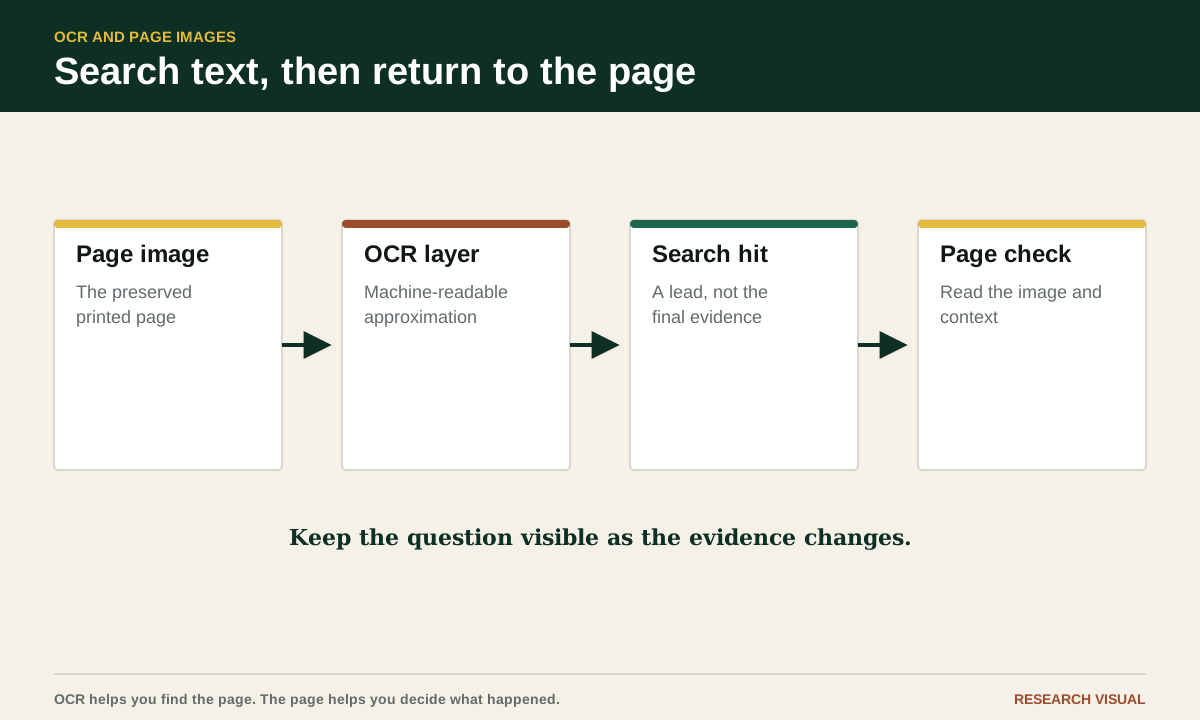
The image and its OCR text are different things. The image is a digitised view of a newspaper page; the OCR is the machine-generated text layer used to find words. A search result can point to a useful page even when the text is garbled, and readable OCR does not remove the need to inspect the page itself.
The Library of Congress says Chronicling America's full-text search uses automatically processed OCR text that is left uncorrected. It notes that small fonts and unusual text styles can lead to errors, and suggests trying shorter words or phrases. Its search tips and OCR FAQ describe that collection specifically. Newspapers.com also explains that its pages are indexed using OCR and that unclear images or older papers can lead to missed or misread words in its search and browse guide. Other newspaper archives may have different search tools, filters and image displays, so check their own help pages rather than assuming the same controls apply.
Before changing your query, identify what the archive lets you search. Can you limit by title, place, date or page? Does a result open a full-page scan, a cropped article or only a text preview? Can you move through neighbouring pages? Your tactics depend on those controls.
Treat a failed name search as a clue about the index
Suppose an exact-name search returns nothing. Several explanations remain possible. The item may not be in the issue. The issue may not be included. The title may have used an initial, a married name or a nickname. OCR may have dropped, joined or misread letters, or split a word across lines.
These possibilities are not equally likely, and you can test them without changing the research question. First confirm that the newspaper title and date are right. Then see whether the issue is complete. A collection record may show a date while the scan contains only selected pages, a damaged page or an image that cannot be searched.
Look at other results from the same page or issue if the archive offers them. If ordinary words are badly distorted, you are dealing with a broad OCR problem. If ordinary words look fine but surnames fail, name variation is the more likely obstacle. If the date filter appears unreliable, your result list may be mixing nearby issues.
Treat search results as leads from an imperfect index, not as a count of whether the event happened. Use them to locate promising pages, then read the page itself. If the item concerns a death, obituary and death-notice searches give you more event-specific wording to test.
Write down that distinction in your research notes. A statement such as "No result for exact surname in the selected title and date range" is accurate. "No notice found" is stronger and requires page-level checking.

Build a small set of name variants
Make variants from the way a printer, typesetter or relative might have written the name. Start with the full name, then remove or change one element at a time. Try a first name with an initial, a middle initial without a first name, and a surname alone. If the surname is long, search a distinctive part of it. Search a spouse's or parent's surname when the notice is likely to identify the person through a relationship.
For a surname, test spacing and capitalization only if the search system treats them differently, then consider likely OCR confusions. A letter may be mistaken for a similar shape, disappear beside a mark, merge with its neighbour, or be split across a line. These are search possibilities, not corrections to silently apply to a record.
Names with prefixes deserve special care. Mc, Mac, O', De, Van and La may be joined, separated or printed with unusual capitalization. Search both the joined and separated forms. For O'Brien, try OBrien, O Brien and the family name without the apostrophe. For Van Buren, try VanBuren and Buren. Keep the original spelling in your notes even when you search a variant.
Also test abbreviations and initials used in notices. "Mrs. John W. Carter" may be indexed differently from "Mary Carter." A birth announcement may name the parents, while a school item names only the child. A wedding report may use a bride's maiden name and the groom's full name. A social column may use "Miss Carter" or a household label instead of a first name.
Do not create a long list of random misspellings. Make a short, explainable list based on typography, family relationships and period usage. Ten purposeful searches are easier to evaluate than fifty guesses with no record of what they mean.
When searches return too many people with the same name, research an ancestor with a common name using documented places, dates and family connections before deciding which notice belongs to them.
The newspaper name search planner can help you assemble a small list using initials and documented surnames. Optional OCR experiments are labeled separately. Try the suggestions in your archive and tick off the searches within the tool as you go.
Replace exact names with event language
Newspapers often describe an event without using the name you began with. An engagement item may say that a daughter of a local family will marry. A birth notice may mention the parents and the hospital or residence. A legal or community item may identify someone by occupation, street or organization.
Search for the words that describe the event. For a marriage, try marriage, married, wedding, bride, groom, nuptials, ceremony, vows and reception. For a birth, try born, birth, son, daughter, infant, delivered and parents. For a family announcement, try visiting, guests, returned, entertained, reunion, anniversary and family gathering. Use the terms as clues, not as a fixed vocabulary list. Local papers developed their own habits.
Pair event language with a place, street, occupation, church, school or relative. A search for "married" alone is usually too broad. A search for married and the town may still be noisy. A search for married, a distinctive church and a narrow date range can bring the right page into view even when the surname is unreadable.
Search words from the likely notice type as well as the event. "Card of thanks," "in memoriam," "funeral services" and "survived by" belong to different parts of death coverage. "At home," "announced," "engaged" and "wedding" point toward different kinds of family or society items. The more specific the section language, the less you need to depend on a perfect surname match.
Read the wording you find. A period phrase may be unfamiliar today, and a modern synonym may never appear in the paper. When a search for "engagement" fails, "betrothal" or "to wed" may be more useful. When "birth announcement" fails, the notice may simply say that a child arrived at a named residence.
Use date and place filters before adding more words
A crowded result list can make every query look weak. Narrow the date first when you have a reason to expect a particular week or month. Then limit the newspaper title, edition or place if those filters exist. A short date window makes it easier to inspect results and notice repeated wording.
Be careful with dates. A newspaper may publish a report days after an event. A marriage may be announced before the ceremony, described after it, and mentioned again in a society column. A death notice may appear on the day of death, the following day, or after relatives have arranged the funeral. If your target date is an event date, search around it rather than treating it as the only possible publication date.
Place filters can mean different things. Some identify the newspaper's place. Others identify a location mentioned in an item. Do not assume that a town filter proves the person lived there. A regional paper may report an event in a neighboring county, and a local paper may carry a notice for a former resident.
When a collection has edition information, compare editions only when the event could reasonably differ by edition. Morning, evening, weekly and special editions may carry different local columns. Record the edition you searched. A result in one edition does not tell you that another edition contains the same wording.
If filters are weak, keep the date and place in the search terms or use the page calendar. A query such as 1912, "Mount Pleasant" and married may work differently from a structured date filter. The point is to reduce noise before you interpret absence.
Browse the issue when search has done its work
Page browsing is often the answer to OCR failure. Open the likely issue and move through the pages in order. Start with the sections most likely to carry your event: local news, society, social notes, births, marriages, church news, classified notices, legal notices and the front page. Names can appear in more than one section.
Use the page thumbnail or contact sheet if one is available. It lets you recognize the paper's layout and spot dense local columns. A page with several narrow columns may be worth opening even when its OCR preview is empty. When you open the full image, enlarge the text enough to read but keep a view of the surrounding column so you do not lose context.
Read headings, dates and bylines as you go. The same newspaper may print local news in a recurring place, but page layouts can change across years. Note where the paper puts the society column, church announcements or legal material. Once you understand the layout, browsing becomes faster and more selective.
Move to adjacent issues when the timing is uncertain. A weekly newspaper may report an event in the next issue because a deadline passed. A daily may repeat a short item several times. Look for the earliest mention and the fullest wording. The fuller article may name relatives or a residence that the first brief notice omitted.
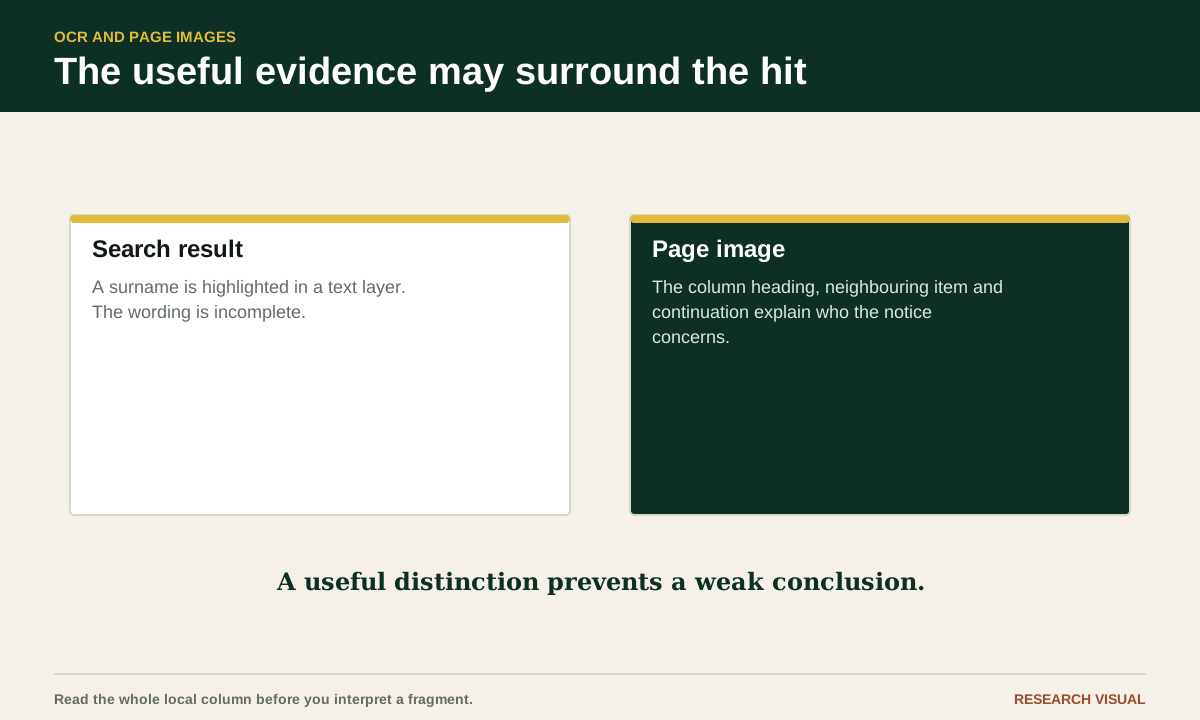
Do not rely on a cropped text view when the wording matters. The crop can leave out a heading, continuation or neighboring item. Open the page image and follow the article if it continues in another column. A line break can also split a surname, place or sentence in a way that confuses the OCR display.
Read the whole local column around a likely hit
A name hit is a starting point, not a conclusion. Read enough of the surrounding item to identify who did what, where and when. Then read nearby items because local columns often group residents, visitors and family news. A person may appear under a nickname in one item and a full name in another.
Watch for column conventions. Some papers use a heading such as "Local and Personal" for a mixture of travel, illness, visitors, weddings and social news. A short item may assume that readers know the family. It may say "the Carter home" without a street or first name. Neighboring items can supply the missing context.
Check whether the item is original reporting, a reprint, an advertisement or a correction. A wedding announcement supplied by a family may use different details from a later report. A funeral notice may be paid copy. A social note may repeat a rumor or a detail supplied by a correspondent. The page gives you evidence about the wording and publication, not automatic confirmation that every statement is accurate.
If the article continues, capture the continuation. Newspapers sometimes place a short teaser on one page and the substantive paragraph elsewhere. OCR may index the two portions separately. Search terms can land on the teaser while the names and relationships are in the continuation.
Use the image's page number and the newspaper's printed page number when both are visible. Archive numbering can differ from the page number printed on the sheet. Recording both prevents confusion when another researcher opens the issue later.
Record what you checked and what you found
A research log keeps a difficult search from becoming a loop. For each query, record the newspaper title, date range, page or issue range, exact search terms, filters and result. Mark whether you inspected a page image. Note any problem with missing pages, unreadable scans, broken links or uncertain wording.
A compact log entry might read: "June 1 to June 30, 1912, weekly title, surname and married searches, no text hit; browsed local and society pages in June 8 and June 15 issues; June 15 page 3 image has a possible item, surname unclear." That entry preserves both the negative search and the positive lead.
Save the source link when the collection provides a stable issue or page URL. Record the access date because collection interfaces change. If downloads are allowed, keep the page image or a permitted clipping with a filename that includes the title, date and page. Do not strip away the surrounding page when the context may matter.
Transcribe uncertain characters with brackets or a note. For example, write "McA[d?]oo" or "surname appears to be McAdoo, first letter after A unclear," rather than silently choosing a reading. Keep your transcription separate from the image and distinguish your interpretation from the printed wording.
A log also tells you when to stop repeating a query. If you have tried the full name, surname variants, event language and a page-level review of the likely issues, the next useful action may be finding another title or repository. More spelling guesses will not repair a missing issue.
Try the same evidence through another route
When a collection has poor search controls, look for another legitimate copy of the same issue. A public library, state archive, university collection or local historical society may have microfilm, scans or an index. The second route may offer clearer images even when it does not have better OCR.
Search by newspaper title and date rather than by the person's name. The goal is to find the issue record. A catalog entry can tell you whether a repository holds the title and years you need, but it does not guarantee that the exact issue is available. Confirm the issue or ask the library about its holdings.
Microfilm can be useful for page browsing, especially when a digitized collection has gaps. It can also introduce its own image problems, so record the reel, issue date and page if you make a discovery. Library staff may know whether an index, clipping file or local newspaper guide points to the relevant section.
If you use a search engine outside the newspaper collection, treat the result as a path to the source. A quoted name in a family tree or copied index is a lead. Open the underlying newspaper image or catalog record before treating it as evidence. Search snippets can remove the words that explain a relationship or uncertainty.
Keep your research question stable while you change routes. Switching repositories should improve access to the same evidence target. It should not turn a vague name match into a conclusion just because one interface displayed it more confidently.
A hands-on exercise for one difficult search
Choose one newspaper question that has produced a weak result. Pick a person, event and likely date range you can describe in one sentence. Do not choose a broad family surname with no place or time attached.
Create a small table in a notebook or document with columns for query, filters, issues checked, page images inspected and result. Run the exact name once. Then run the surname with a first initial, a relationship term such as wife or daughter, and two event-language queries. Keep the date and title as constant as the collection allows.
After the text searches, open one likely issue from the date range and browse the pages most likely to carry the item. Read the full local or society column around any possible hit. Check the adjacent issue if the event could have been published later.
Write a short finding in two parts. First, state what the search index returned. Second, state what the page images showed. For example: "The exact name returned no text result. I inspected local pages for June 8 and June 15, and found a possible marriage item on page 3 of June 15; the surname needs comparison with a clearer source."
Finish by choosing one next action: locate another issue, check another newspaper, ask a library about microfilm or compare the uncertain name with a record you already trust. The exercise is complete when your next action follows from the evidence, not when the search box finally produces a perfect match.
Know when a search is good enough to move on
A newspaper search can remain uncertain even after careful work. The page may be damaged. A column may be too faint to read. The event may have been reported in a title you have not located. A careful negative result is still useful because it narrows the possibilities.
Move on when you have documented the title, date range, queries, page coverage and limits. If you found a likely item, preserve the image, transcription and context before opening another search. If you found nothing, say exactly what was checked and what was not.
The strongest newspaper research separates three things: what the archive indexed, what the page image says, and what you infer about the person. Keeping those layers apart makes OCR errors easier to spot and future discoveries easier to test. A misspelled search result is an inconvenience. An unrecorded assumption is the problem that can follow you through an entire family history.
Sources for checking search and OCR limits
- Chronicling America search tips, Library of Congress
- Chronicling America frequently asked questions, Library of Congress
- Newspapers.com search and browse guide