
Historical Newspapers
How to use free and library access for historical newspapers
Find historical newspapers through public collections, libraries, microfilm, and institutional databases before you decide that a missing issue is unavailable.

On this page
- Free online collections are a first pass
- Use newspaper directories before searching names
- Public libraries can bridge local gaps
- Microfilm still matters for missing digital years
- Ask a librarian a precise question
- Institutional databases work through eligibility
- When a page is digital but not free
- Build a coverage worksheet before you travel
- Try a free and library access exercise this week
- Preserve what the access route actually showed
- Sources and further reading
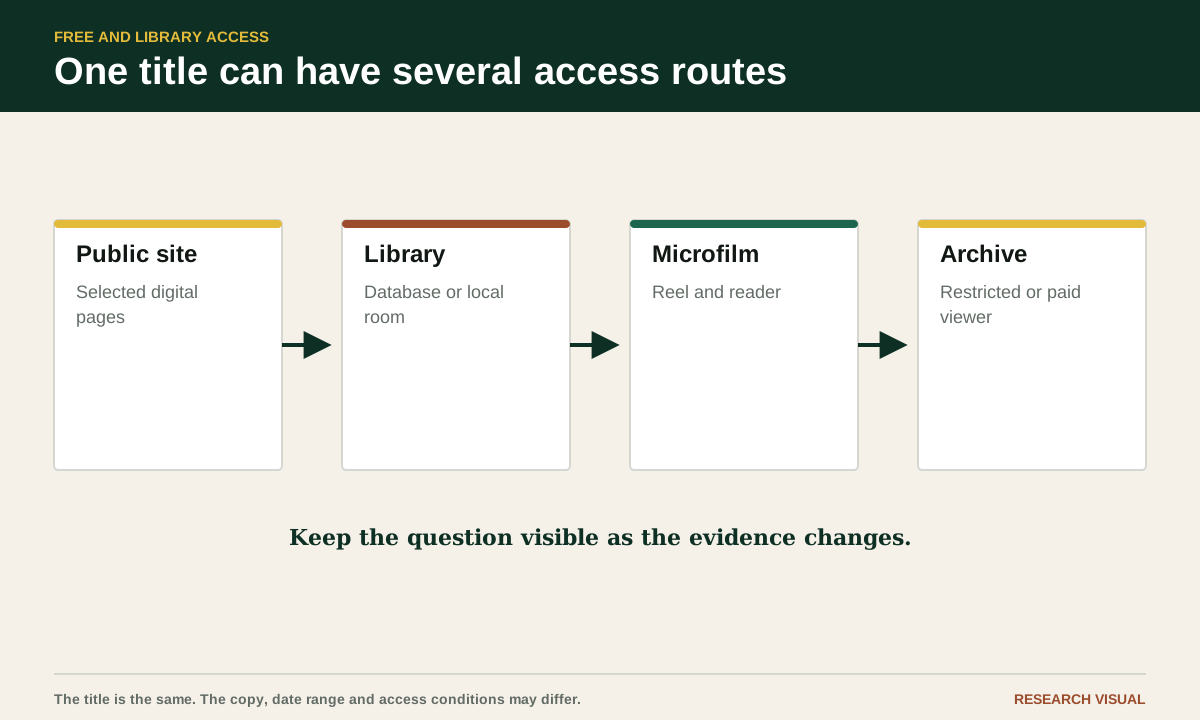
A historical newspaper may be free to read online, free to use in a library, visible in a catalog but stored on microfilm, or searchable only through an institution that has a subscription. Those descriptions can refer to the same title and date range. The useful question is not simply whether a newspaper is online. It is where the issue can be reached, in what format, and whether the copy covers the date you need.
This matters when a family-history search hits a gap. You may see a title in a directory, find a library record for microfilm, and discover that a public digital collection has only a few years. Each result tells you something different. By separating discovery from access, you can find a route without treating a missing search result as proof that the newspaper has disappeared. Start with the right newspaper title and a date and place coverage map so your library request names a real target.

Free online collections are a first pass
Start with public collections that provide page images or full text without an individual subscription. The Library of Congress Chronicling America collection provides access to selected digitized newspaper pages and information about historic titles. Its researcher guide explains how to search, browse, and understand the collection. Use the Library of Congress Directory of U.S. Newspapers in American Libraries separately to identify newspaper titles and reported places to access them. Search Chronicling America for digitized pages. A Directory record does not establish that the specific issue is digitized or can be opened through your access route.
Public access does not mean complete coverage. A collection can hold a title for one decade and omit the years around your family event. It can include scattered issues rather than a continuous run. A search box may also cover page images whose OCR is weak. When a search returns no result, check the date range, browse nearby issues, and inspect the title record.
State digital newspaper programs are another useful route. Many are run by state libraries, universities, historical societies, or partnerships with local repositories. Search for the state name, the newspaper title, and terms such as digital newspapers, historic newspapers, newspaper archive, or library collections. Prefer the institution's own page when a search result leads through several layers.
The Digital Public Library of America can help you discover material held by libraries, archives, and museums. Its current Family Research Guide describes using DPLA's free search tools to explore family history and local context. Item records identify a contributing institution and may link to the source collection. Follow the record back to that institution, which can provide details about dates, rights, image quality, or related issues.
Use newspaper directories before searching names
A newspaper directory answers a different question from a digitized archive. It can tell you that a title existed, where it was published, what years it ran, and sometimes where copies are held. That information prevents a common mistake: searching the wrong title because it has a familiar town name.
Use a directory to collect title variants. A paper may have changed its name, absorbed another title, moved its place of publication, or published a daily and weekly edition. Record the exact title for the period you need. Search each likely form, but keep the title history in your notes so that a later researcher can see why you switched sources.
The Library of Congress guide to U.S. newspaper collections describes holdings in print, microfilm, and digital formats. It also explains that the Library's collection does not include every U.S. newspaper and that availability can vary by date range and format. Treat a catalog record as a pointer to a copy, not as evidence that the issue you want is ready for remote viewing.
Make a coverage line for every title: title, place, date range, format, repository, access condition, and gaps. If a catalog lists the title as 1890 to 1930, that may describe the overall run rather than every issue. A note such as "1890 to 1930, exact issues to confirm" is more useful than a confident but untested range. If the exact issue is available only through a subscription, compare that route after you have completed the free and library checks with the paid-archive comparison guide.
Public libraries can bridge local gaps
Your local public library may have more than its website suggests. Ask about local history collections, newspaper indexes, clipping files, obituary files, city directories, local history rooms, and relationships with a county historical society. A library may know about a digitization project that is hard to find through a general search.
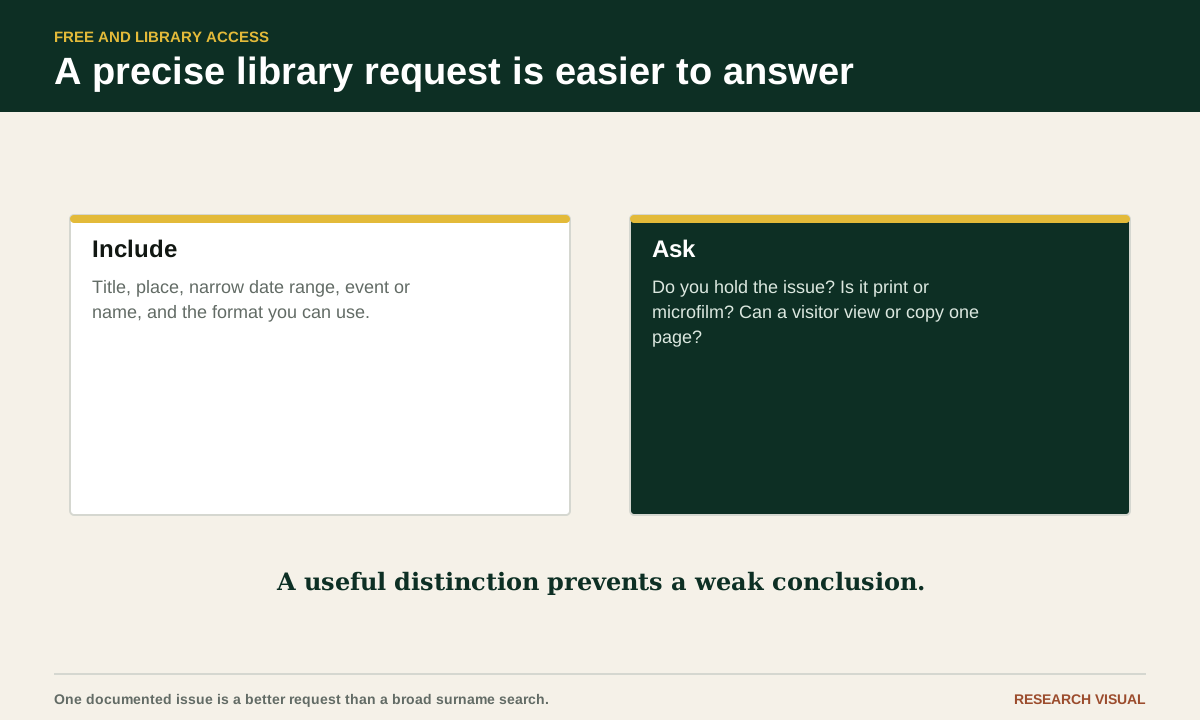
Call or write with a precise request. Include the newspaper title, place, date or narrow date range, person or event, and the format you can use. Ask whether the library has the issue, whether a reader is available for microfilm, and whether staff can advise you about copying or scanning. A specific request gives the librarian something to check and reduces a long exchange about a vague surname search.
Ask about nearby repositories as well. A county library, university library, state archive, or historical society may hold the only local copy. Some collections are cataloged at the institution level rather than in a national search engine. A librarian may also point you to a successor title when the name in a family story does not match the catalog record.
Access rules vary. Some reading rooms require an appointment, an identification card, or advance retrieval from storage. Some allow personal photography; others provide a scan service or limit equipment near fragile material. Confirm current rules with the holding institution before travelling. Do not assume that a record visible in a catalog is available for same-day use.
Microfilm still matters for missing digital years
Microfilm can feel old-fashioned, yet it remains an important way to reach newspapers that have not been digitized or that are absent from free websites. Libraries may hold reels for a local paper, a regional title, or a major newspaper with an index. A reel can cover a long run while still containing missing issues, damaged pages, or hard-to-read frames.
Ask for the exact reel dates and whether the material is positive or negative, if that affects the reader or your preferred image. Ask whether the reader can save a scan to a USB drive, send a file, or print a page. The answer may depend on local equipment and copyright policy. Bring a small list of target dates so that you can use limited reader time well.
Microfilm research rewards browsing. OCR may not exist, and an index may point to a date without giving the full context. Scan the page before and after a likely item. A continuation may be on another page, and a notice may repeat across several issues. Record the reel identifier, title, issue date, page, and frame or image number if the reader supplies one.
A microfilm copy is still a source that needs checking. Frames can be cropped, out of focus, reversed, or missing. If a name is unclear, compare another issue or ask whether the library has a print or digital copy. A second format may make the wording easier to read without changing the underlying publication.
Ask a librarian a precise question
A good access request has five parts. Give the title as it appeared at the time, the publication place, the date range, the event or name you are pursuing, and the kind of help you need. You might write: "I am trying to read the Fairview Gazette for 3 to 17 October 1912 to look for a probate notice involving Anna Ruiz. Do you hold those issues in print or microfilm, and can a visitor view or copy them?"
Add a fallback request. Ask whether another institution holds the run, whether an index exists, and whether the title continued under another name. If you need only one page, say so. If you need a broad search across several years, say that instead. The library may offer a different route for a single known issue than for a long survey.
Keep replies with your research notes. Record the staff member or department, the date of the reply, the holding information, and any restrictions. A helpful answer can save another researcher time, especially when a collection is not obvious from its public catalog.
You can also ask about interlibrary loan. Policies vary by institution and format. The Library of Congress says most of its newspaper microfilm is generally available for interlibrary loan through a researcher's local library, but that does not mean every title or another repository's materials can be borrowed. Ask your library to check the exact title, dates, format, and current loan rules. Give a full citation rather than asking for "anything about my ancestor." Libraries cannot search every page for an unknown event, but they can often help you locate a known title, date, or issue. See the Library's current guidance on using its collections.
Institutional databases work through eligibility
Universities, colleges, public libraries, and archives may provide access to newspaper databases for people using their buildings or networks. Some allow remote use for local cardholders. Others restrict access to current students, faculty, staff, or visiting researchers. The same database can therefore be free for one reader and unavailable to another without the newspaper itself changing.
Check the institution's library website for the database list and access terms. Search the catalog by newspaper title as well as by the database name. A title may be available in one collection for a narrow period and in another collection for a different period. Read the coverage note before assuming that a search includes every issue.
Ask whether guest access is available in person. A university library may have public workstations, a reference desk, or a special collections reading room. A public library may provide databases through a library card. Follow the institution's rules, and do not try to bypass a login or copy material in a way the license forbids.
Institutional access is especially useful for comparing a newspaper image with a citation or index. A database may offer better OCR, page layout, or search filters than a public site. It may also have a different scan of the same issue. Save the citation and the page image according to the service's terms, then note the institution and date you used it.
When a page is digital but not free
A search engine may show a title, a snippet, or a thumbnail while the full page sits behind an institutional or personal subscription. The visible result still provides a clue about the title and date, but it does not give you the page. Use the citation to look for a library route, a state project, a microfilm holding, or a local repository.
Search the exact title in quotation marks along with the word library. Add microfilm, catalog, historical society, state archive, or university. Search the publication place and date without the family name. This can uncover a catalog record or finding aid when a name search leads only to a restricted database.
A paid or restricted result can also help you refine a request to a librarian. Give the newspaper title, issue date, page if shown, and the article heading or snippet. Ask whether the library can identify a holding or provide access under its normal services. Do not ask staff to reproduce an entire collection when one documented page will answer the question.
Keep access and evidence separate in your notes. Write "A restricted search result identifies an article in the 8 March 1904 issue" rather than "The newspaper says" until you have read the page. A snippet can be truncated, misdated, or generated from a nearby reference. Wait for the page image or a trustworthy transcription before quoting the content.
Build a coverage worksheet before you travel
Create one row per newspaper title and one column for each access route. Include title variants, publication place, target dates, free digital collection, public library, university or institutional database, microfilm, print, and a contact point. Add a final column for what you actually confirmed.
For each route, record the exact holding statement. Use phrases such as "digitized issues found for 1898 to 1901" or "catalog record lists microfilm, dates not yet checked." This makes uncertainty visible. Do not turn a broad catalog date into an issue-level claim.
Mark the best route for your research question. If you need to search a year of weekly issues, digital OCR may save time. If you need one missing date, microfilm or a librarian's scan may be more efficient. If you need to understand a title change, a directory or bound volume may be more useful than a search box.
Add travel and copying questions to the worksheet. Note hours, appointment rules, reader availability, image permissions, fees if any, and whether you need a library card. This is practical planning, not a ranking of providers. The best route is the one that reaches the right issue in a form you can read and cite.
Try a free and library access exercise this week
Choose one newspaper and one target date from your family research. Start with a public digital collection and record exactly what it says about the title and coverage. Search for the issue, then browse the date range around it. If the issue is present, save its citation and inspect the image rather than relying on a result line.
Next, check a newspaper directory or Library of Congress guide for the title. Write down at least one alternative holding, such as a public library reel, a university catalog record, a state library project, or a historical society collection. You do not need to contact every repository. Choose the route that could answer your specific gap.
Send one precise library question. State the title, place, date, and event. Ask whether the issue exists in the listed format and what a visitor or remote researcher can do. Save the reply. If the answer is no, ask whether the staff member knows of a successor title or nearby holding.
Finish with a coverage statement: "I found free images for these dates, a catalog record for microfilm covering a wider period, and an unconfirmed gap around the family event." That statement tells you what to do next without pretending that the gap has been explained.
Preserve what the access route actually showed
Write down the repository, collection name, title, publication place, date, page, and stable URL. For microfilm, add the reel and frame information when available. For a library visit, record the institution and the date you viewed the issue. If you took a photograph or scan, keep the original file and do not crop away the masthead or page number.
Note whether you read a page image, OCR text, catalog record, index entry, or search snippet. Those are different kinds of evidence. A catalog can establish that a library reports holding a title. A page image can show the wording of an article. An index can point you to a date but may omit the full context.
Use the source's own terms for gaps. Say "issues not located" rather than "no issues exist." Say "free online coverage not found" rather than "the newspaper is unavailable." A library may hold a copy that is not digitized, and a public collection may add material later. Careful wording keeps a temporary access problem from becoming a false historical conclusion.
Sources and further reading
- About this Collection: Directory of U.S. Newspapers in American Libraries, Library of Congress
- Frequently Asked Questions about the Directory, Library of Congress
- About this Collection: Chronicling America, Library of Congress
- Chronicling America: A Guide for Researchers, Library of Congress
- Historical Newspapers, U.S. Newspaper Collections, Library of Congress
- Newspapers, Library of Congress Newspaper and Current Periodical Reading Room
- The Family Research Guide to DPLA
- Using the Newspaper & Current Periodical Reading Room collections, Library of Congress