
Historical Newspapers
How to verify and preserve a newspaper discovery
Record the title, date, page, wording, image or link, access date, and limits that make a newspaper discovery useful later.

On this page
- Start by separating the page from your conclusion
- Confirm the newspaper title on the page
- Record the full publication date
- Find and record the page location
- Preserve the wording before you summarize it
- Save the image or a durable page link
- Add the access date and access route
- Check the page against the search result
- Record limits beside the evidence
- Build a citation another reader can use
- Do a one-issue evidence exercise this week
- Keep the evidence modest and reusable
- Sources
A newspaper search result feels satisfying because it puts a name on the screen. The result is still only a lead until you can explain what publication it came from, when it appeared, where it sits on the page, and what the page actually says. A careful note lets you return to the evidence and lets another reader see where your conclusion begins.
This guide is for a discovery you may want to cite in family history, a local-history project, or a private research file. It focuses on one newspaper item at a time. You will record the title, date, page, wording, image or stable link, access date, and limits. If the discovery began with a damaged name search, the OCR and page-image guide explains how to reach the page before you preserve it. The Library of Congress guide to Chronicling America citations and page links recommends using the issue citation and linking to a specific page image when possible. That same habit works well when you use another archive, even if its interface looks different.
Start by separating the page from your conclusion
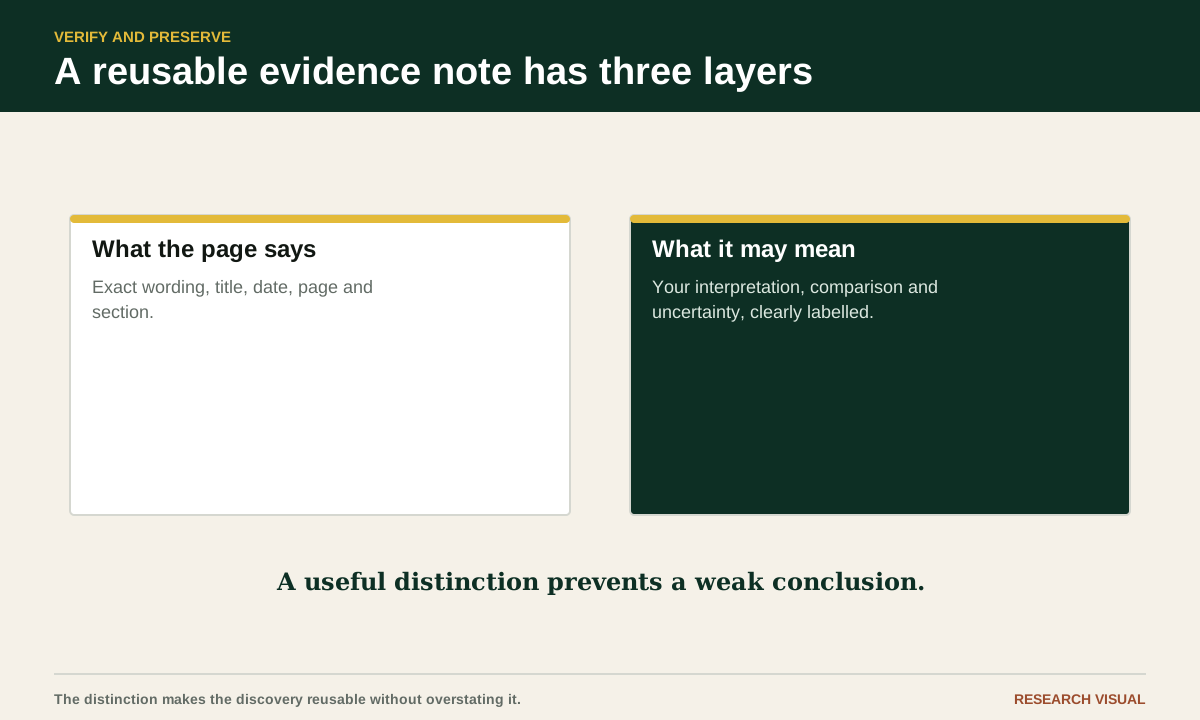
Write two sentences before you do anything else. The first says what the newspaper reports. The second says what you think the report may mean for your research. Keep them separate.
For example, a page may say that "Mrs. Anna Miller and daughter returned Monday from visiting relatives in Ohio." Your evidence note can report that wording. Your interpretation may be that Anna had family in Ohio, but the notice does not name those relatives or prove how they were related. A newspaper often compresses relationships into familiar community language. It may also contain a typo, a rumor, an advertisement, or a statement supplied by someone whose identity is unknown.
If a notice could concern several people with the same name, compare common-name newspaper candidates against dated records and family connections before attaching it to your ancestor.
This separation prevents a common error. Researchers copy a search-result snippet into a family tree, then later remember the inference as if it appeared in the newspaper. Keep the original wording visible. Add your interpretation in a clearly labeled field such as "research note" or "possible use."
Confirm the newspaper title on the page
A search result may display a shortened title, a database label, or a title inherited from a catalog record. Open the issue or page and read the masthead if it is visible. Record the title as printed, then add the city and state or territory shown by the archive.
If you inherited a loose cutting with no masthead or date, identify and date the newspaper clipping before filling those gaps in its citation. That guide works backwards from surviving wording and physical clues to a possible full-page match.
Title details matter because newspapers change names, merge, publish separate editions, and share similar names across towns. “The Evening Star” in Washington, DC is not the same source as an “Evening Star” in another state. A paper may appear as “The Daily News” in one record and as “Daily News” in another. Preserve the form used on the page and include the archive's title record when it helps identify the publication.
Check whether the item came from a regular issue, a Sunday edition, a weekly edition, or a supplement. If the page has an edition label, keep it. If the archive lists an alternate title, record that too. Do not replace an uncertain title with a modern newspaper name because it looks familiar.
The Library of Congress Chronicling America title records show publication information and issue links. Its digitized title list lets you inspect the titles and issues currently represented there. A specific issue record shows how to distinguish a title's bibliographic identity from the particular issue you read. These examples concern Chronicling America; another archive may use a different record structure. If title identity is unclear, the guide to finding the right newspaper explains how title changes, editions and nearby communities affect identification.
Record the full publication date
Write the date exactly as the issue gives it, including the month, day, and year. Preserve an unusual format in a quotation or note if it could cause confusion. Add the weekday only if the issue or calendar makes it clear.
Do not silently convert an issue date into the date of the event described. A death notice may report a death from the previous day. A marriage announcement may describe an event that happened weeks earlier. A court report may concern a hearing held before publication. Your citation date belongs to the newspaper issue you inspected. The event date belongs in a separate field with its own wording and uncertainty.
If the archive date and the page masthead disagree, record both. Write a short note explaining what you saw. An archive can mislabel a page, and a bound volume can place issues in an unexpected order. You do not have to solve the discrepancy before preserving it.
For a date range, record the exact issue that contains the wording. "April 1902" is too broad when the item appeared on April 17. If you checked neighboring issues because you expected a notice, record those checks in a search note rather than changing the citation date.

Find and record the page location
Page information helps someone return to the item even when OCR changes. Record the page number as printed if you can see it. Add a section, column, article heading, or approximate location when the page number is missing or the archive viewer uses a scan sequence instead.
A page may be labeled "1," "Front page," "page 6," or "6 of 8" by different systems. Keep the printed page and the viewer's sequence separate. If the page image shows no number, write "unpaginated page in issue" and describe its position, such as "third scanned page, local news column." Do not turn a viewer sequence into a printed page number without saying that you did so.
Record the article heading or nearby column name. A short notice can be located by its place in the paper even if the OCR transcript disappears. Note whether the item continues from another page. If it does, capture both pages or explain that you read only the first page.
Look at the page before and after the item. This can reveal a continuation, a correction, an edition change, or an advertisement that looks like a news report. It also gives you context for a clipped headline or an ambiguous name.
Preserve the wording before you summarize it
Copy a short exact quotation that carries the discovery. Keep spelling, capitalization, initials, and unusual punctuation as printed. If the original uses a term that may be offensive or unfamiliar today, quote it only as much as needed for identification and explain the context in your note. Do not silently modernize the words.
Use brackets sparingly to clarify an omitted word or an obvious letter damaged in the scan. Use an ellipsis only when you actually leave text out. If the scan is unclear, put your uncertainty in brackets, such as "[?]", and describe the problem outside the quotation. Never repair a hard-to-read surname from a family tree and present the repaired form as newspaper wording.
A useful evidence note has three layers. First, give a short exact quotation. Second, give a plain-language summary. Third, list the uncertainty. For example:
"Mr. J. W. Carter, of this place, has accepted a position in Chicago."
The notice reports that J. W. Carter from the local community accepted a job in Chicago. It does not name the employer, give a start date, or prove that Chicago was a permanent residence.
If you quote a longer passage, include enough surrounding wording to show who acted and what happened. A highlighted surname alone can hide whether the article concerns the person you are researching.
Save the image or a durable page link
A transcript is a finding aid. The page image is the object you inspected. Save a link that returns to the issue or page, and save an image or PDF when the archive's terms permit it. If your main question is who appears in the photograph, our guide to finding ancestors in historical newspaper photographs explains how to distinguish the caption, archive label and your own identification. The Library of Congress page-link and citation guide explains how to link to a specific Chronicling America page image and use its issue-level citation tools.
Use the archive's share, cite, permalink, or item URL rather than copying the address from a temporary search-results screen. Test the link in a private window or after signing out if access rules allow. If it requires a login, record that fact. A link that works only in your current session is useful for your own return but weak as a handoff to another reader.
Name a saved image with the newspaper, date, page, and a short identifier. For example: evening-star-1904-11-08-p-6-miller-notice.jpg. Keep the original file unchanged. If you crop a detail for readability, preserve the full page separately and mark the crop as a derivative.
Check the provider's rules before sharing a downloaded image. Some archives allow personal research downloads but restrict public redistribution. When public sharing is limited, give the stable issue or page link, the quotation, and enough citation detail for another researcher to request access.
Add the access date and access route
Write the date when you inspected the item. Use the date your research log records, and include your time zone only when a date boundary could matter. The access date does not claim that the newspaper was published then. It tells the reader when you saw the digital copy and when the link or archive record was checked.
Record the access route in plain language: Library of Congress Chronicling America, a public library database, a subscription archive, a university login, a microfilm scan, or a physical newspaper. If you used a library database, name the library and product when you know them. The route helps explain why another person may see a login wall or a different viewer. For help finding an alternative route, see free and library newspaper access or compare paid archives.
Save the title record URL as well as the page URL. A title record can explain a title change, publication place, or date range. It also gives you a second way back if the page link changes. If you found the item through a search engine, record that as discovery history, not as the evidence source.
Check the page against the search result
Search results can omit words, join separate columns, or highlight a name in an advertisement. Read the whole item on the page. Zoom out once to understand the layout, then zoom in to inspect names, dates, and relationships. Compare the OCR with the image one line at a time for the part you plan to quote.
Try a nearby search if a word looks wrong. Search a distinctive phrase from the same column, browse the issue manually, or inspect the page at higher resolution. If the archive offers an alternate image or download, compare it. A dark fold, missing corner, or bleed-through may explain an odd transcription.
Record what you did when the wording matters. "OCR reads Miller; image appears to read Millar" is a useful note. "Surname unclear because the final letters are hidden by a fold" is better than choosing one spelling because it fits your family.
Do not let an OCR match create false precision. The archive may highlight a name that is not in the printed text, or it may fail to highlight a word that is plainly visible. Your citation should point to the page image whenever possible.
Record limits beside the evidence
Every newspaper discovery has limits, even when the page is clear. The item may be unsigned. It may use a courtesy title with no first name. The paper may have printed a claim without verification. The issue may be a reprint from another town. A page may be missing from the run, or the image may be too poor to read a critical word.
Write the limits specifically. Examples include "article continues on page 8, not checked," "paper calls her Mrs. A. Miller and gives no maiden name," "issue is an afternoon edition," "archive has no page image for the search hit," or "the event date is reported but not independently confirmed." Specific limits tell you what a later search should test.
The National Archives advises special care when preserving an important physical newspaper edition, including protection from damaging environmental conditions. Its guidance on preserving a newspaper edition concerns original newsprint, not digital files. For a digital discovery, preserve the original context and avoid treating one convenient copy as permanent. Keep a local research note, a stable URL, and the archive name. If the discovery matters greatly, look for a second copy through a library, historical society, or another digitized collection.
If you have two versions to inspect, the clipping comparison tool highlights changed wording in pasted transcriptions. Check those differences against the page images; the comparison cannot establish whether the reports are independent.
A second copy is useful for comparison, not because two newspaper versions automatically make the statement true. They may both repeat the same report. Note whether the second item is independent, a wire story, or a reprint.
Build a citation another reader can use
A compact newspaper citation can include: newspaper title, city and state, full issue date, page number, column or article heading if useful, archive or collection name, page or issue URL, and access date. Add the exact quotation and a note about image quality or missing material when the detail affects the conclusion.
Use the newspaper citation generator to assemble these details in your browser. It flags gaps and keeps scan numbers distinct from printed pages when you identify them. Review the draft against the source before keeping it.
Here is a flexible pattern:
"Evening Star" (Washington, DC), November 8, 1904, p. 6, "Local News," "[exact quotation]." Chronicling America, Library of Congress, page URL, accessed September 22, 2026.
Replace the sample fields with what the issue actually shows. If your research notes contain an earlier date, use the date you inspected the page as the access date. If the page is unnumbered, describe its location instead of inventing a number.
The Library of Congress citation guide offers Chicago, APA, and MLA formats for Chronicling America records and explains how to link to a specific page image. Use those formats as a model while retaining the details your project needs. A family-history note does not need to imitate a university bibliography perfectly. It does need to identify the item precisely enough that you can find it again.
Do a one-issue evidence exercise this week
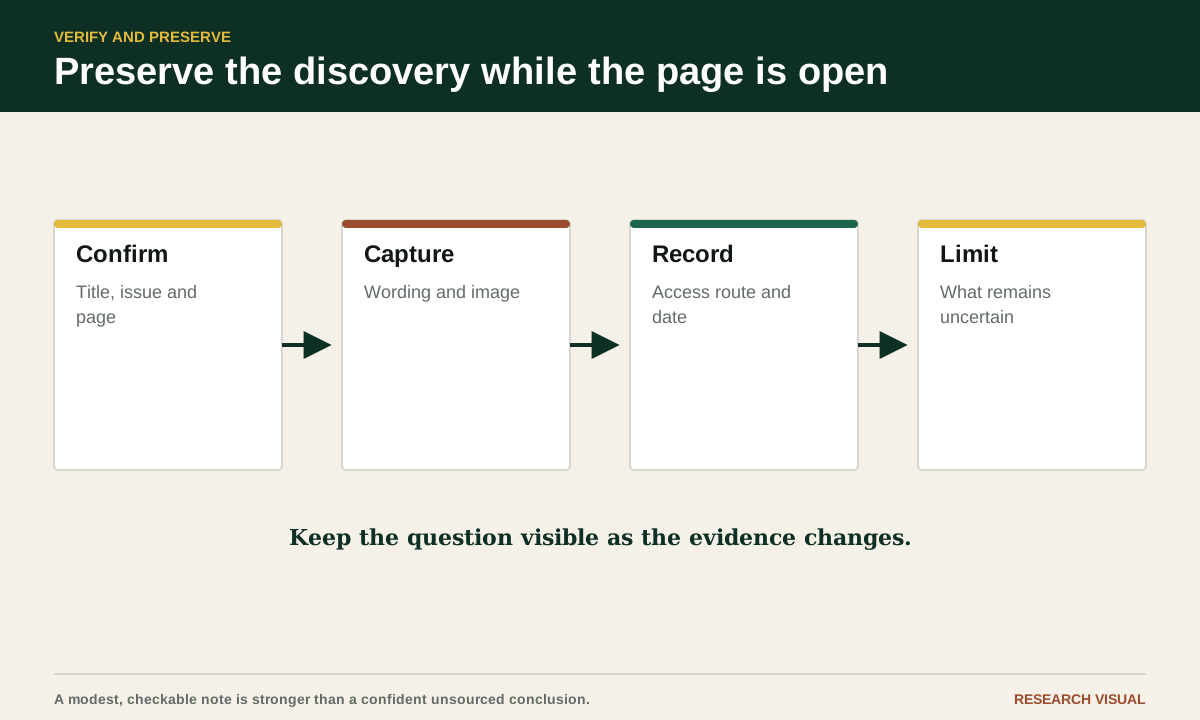
Choose one newspaper result you already found. Open the page image and create a note with these labels: title as printed, place, issue date, edition, page, column or heading, exact quotation, plain-language summary, image or page URL, title-record URL, access date, access route, and limits.
Read the item once without copying anything. Read it a second time while checking the OCR against the image. Then look at the neighboring page or the continuation notice. Copy only the sentences that support your discovery. Under the quotation, write one sentence that the newspaper supports and one sentence that remains an inference.
Close the archive and reopen the saved link. If it fails, improve the note by adding the issue URL, archive name, and a description of the page location. If the link works, ask whether another reader would understand what to look for without your search history. That is the practical test of a preserved discovery.
Keep the evidence modest and reusable
A well-preserved newspaper item can support a lead, a date, a place, a public announcement, or a description of how a community reported an event. It may not prove a birth date, a parentage claim, an exact residence, or the truth of every statement printed. The value comes from knowing what the page says and what it leaves open.
When you preserve the title, date, page, wording, image or link, access date, and limits together, you give your future self something better than a search result. You give yourself a small, inspectable piece of evidence with its context still attached.
Sources
Library of Congress, Chronicling America citation and page-link guide
Library of Congress, Chronicling America digitized titles
Library of Congress, example newspaper issue record
National Archives, preserving an important newspaper edition